Creator Mine focus companion
Run a compact idle mine with local notes, to-do lists, a Pomodoro timer, countdown, and stopwatch.
Everything stays on this device.
Only sounds you turn on are downloaded and looped. You can layer multiple sounds.
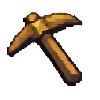 Wooden Pickaxe +0
- No enhancement bonus yet.
Next effect tier +1: +1.5% top Common weight
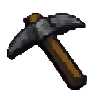 Stone Pickaxe
- Level1 / 3
- Enhance+0 / +5
- Gold0g / 30g
- 🪨 Stone0 / 60
- ⬛ Coal0 / 30
Gold and materials are consumed when evolving.
0/20 slots
No ore has been mined yet.
Keep your work flow with Creator Mine
Creator Mine brings a small idle mining game, a music player, local notes, to-do boards, and focus timers into one browser workspace.
A small mining break
- Mining alternates between a short wait and a mining action. Catch the bonus button when it appears to build a combo and earn an extra reward.
- Collect 20 ore types, strengthen and evolve eight pickaxe stages, unlock nine mining areas, and expand the bag as you grow.
Music and work helpers together
- Choose from 105 BGM tracks across ten categories. Playback controls, volume, shuffle, repeat modes, and favorites stay with this browser.
- Create memo cards with a title, color, body text, and text size. Keep multiple to-do lists, clear completed work, or use the Pomodoro timer, countdown, and stopwatch when you need to focus.
Pick up where you left off
- Game progress, BGM settings, notes, to-do lists, and timer settings are saved in this browser on this device.
- Open Creator Mine alongside your work, switch between its panels when needed, and use a JSON backup whenever you want to move your data to another browser.
Creator Mine questions
Answers about mining, music, and local saving.
Does mining continue when the tab is closed?
No. Mining runs while the page is open. When you return, the next live cycle begins from the saved state.
What happens when the inventory is full?
Mining pauses when the bag reaches its capacity. Sell the inventory or expand the bag to continue.
Does the BGM download as soon as I open the page?
No. Music is not loaded automatically. Only the track you choose to play is requested by the browser.
How do I move the data to another browser?
Use Export backup in the Focus panel, then use Import backup in the other browser. The backup is created locally as a JSON file.
Related tools
More tools built around the same local-processing approach.
Forge Idle
Merge equipment, automate ember production, complete contracts, and choose permanent reforge legacies.
Broadcast control studio
Run overlays, match scoreboards, cue logs, and optional local OBS scene control in one workspace.
Cheonha deck helper
Pick owned generals and compare season-based Three Kingdoms Cheonha deck combinations.