Balance quality, maximum width, and output format when reducing image file size in the browser.
Test record and current workspace
This is a capture of the published workspace used for the guide. The record below separates what was tested, what was observed, and what still depends on the browser or device.
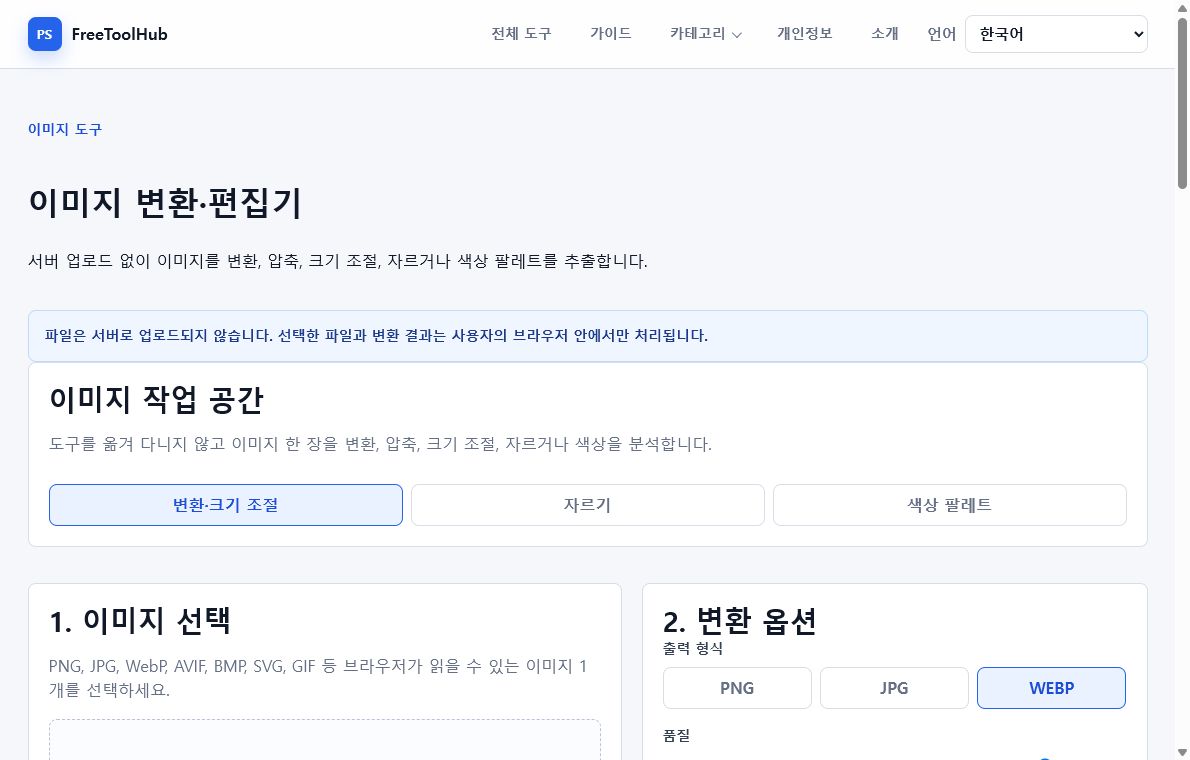
Current published workspace used while checking “How to choose image compression settings”.
Test environment
Chrome 126+ · Windows 11 · quality and resize controls
Test case
Quality 60 / 75 / 85 · resize · output bytes
Observed result
Quality, target dimensions, fit mode, and output format are visible before conversion, with original and result previews available for comparison.
Known limit
Quality is not a universal visual score, and very large decoded pixel dimensions can exhaust browser memory before export.
Resize before lowering quality too much
Large photos often shrink best when maximum width is reduced before quality is pushed very low.
Try 1600 to 2400 px for web photos.
Keep originals for print or archival use.
Preview text and fine details after resizing.
Choose a format for the goal
The best format depends on whether the image is a photo, screenshot, transparent graphic, or web asset.
Use JPG or WebP for most photos.
Use PNG for transparent graphics.
Use WebP when smaller web delivery matters.
Check the result
Compression is a tradeoff. Always compare the converted file with the original before replacing it.